Google Pixel Watch
- 4.7
- Rating
- 10.00M
- Installs
- Free
- Price
 Analysis by App-foxy
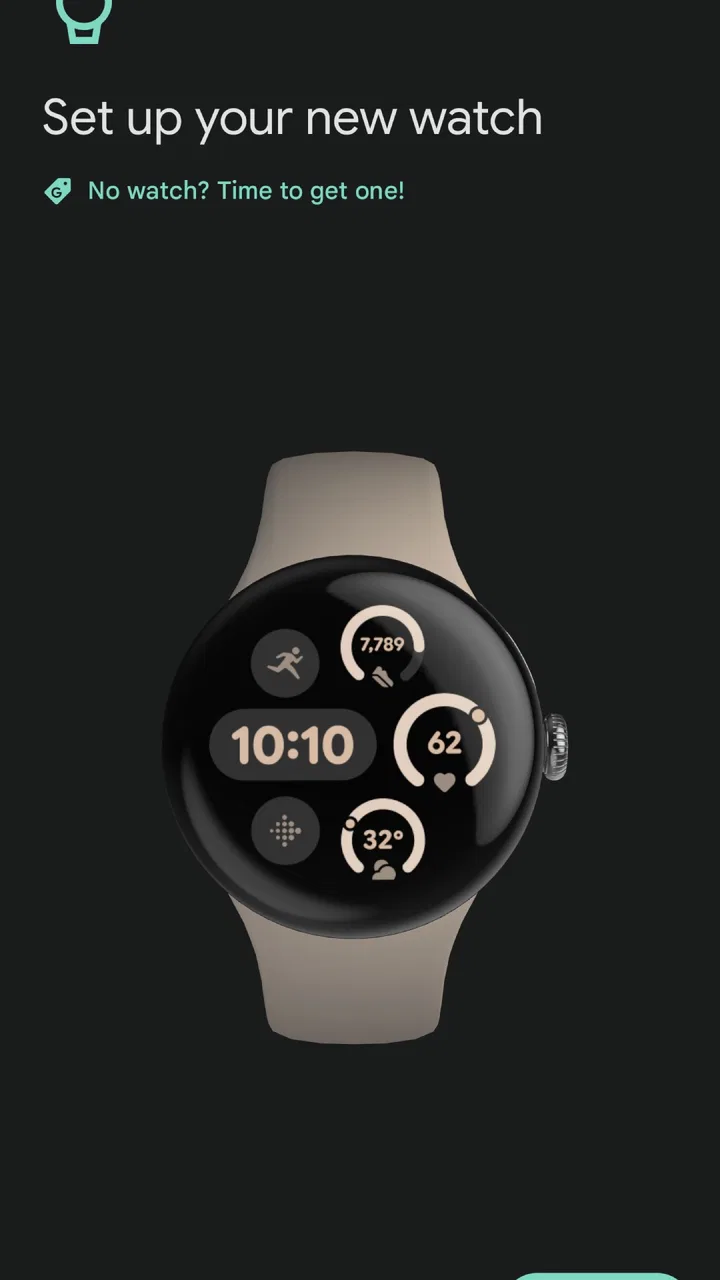
If you use a Google Pixel Watch, the companion app is the part of the experience that makes the watch practical rather than merely attractive. I tested Google Pixel Watch as a communication-focused app and found that its main job is straightforward: it gives Pixel Watch owners a place to manage the device from an Android phone. It is free to install, but its usefulness depends heavily on already owning the compatible watch.
That distinction matters when judging its value. This is not a general messaging app, a smartwatch marketplace, or a standalone health platform. It is a device companion from Google LLC, designed around the Pixel Watch relationship. If you have the watch, the app is part of the setup and management routine. If you do not, there is little reason to keep it on your phone.
What the app actually adds to a Pixel Watch
At first glance, a companion app can seem less exciting than a social or productivity tool. In daily use, though, it becomes the control point I return to whenever the watch needs attention. Instead of trying to configure everything through the small screen on my wrist, I can use the phone’s larger display to handle the device-related work that is awkward on the watch itself.
You May Also Like

 Blood Strike: 2.5 Anniversary
Blood Strike’s Loadouts Turn Every Drop Into a Tactical Gamble
A close look at Blood Strike’s custom loadouts: how fast access to signature weapons reshapes its battle royale rhythm, rewards preparation, and narrows the gap between fights.

 Pandora - Music & Podcasts
Pandora’s Music Is Easy to Start, but Harder to Recover
Pandora’s strength is its low-effort path from a seed to a station. Its weak spot is how much confidence it asks you to place in connection, setup, and quiet recovery.

 8 Ball Pool
 Is Built on Rivalries, Rematches, and Routine
A close look at the rivalries, rematches, shared routines, and unanswered safety questions that turn a quick pool match into a persistent mobile community.

 Samsung Music
’s Quiet Strength Is Playing What You Already Own
Its reach comes less from spectacle than from dependable access to a personal library. That simplicity is both the app’s strongest retention engine and its ceiling.

 AccuWeather: Weather Radar
AccuWeather Review: A Quick, Clear Forecast for Everyday Decisions
For everyday plans, the best forecast is the one you can understand quickly. AccuWeather makes rain timing, radar, and local conditions easy to act on, with a few trade-offs.

 Hill Climb Racing
Why Hill Climb Racing Still Turns Crashes Into One More Run
A tiny car, a bumpy hill and one more upgrade: Hill Climb Racing keeps resurfacing because its simple chaos makes every near-miss feel personal.
More From Our News Desk



The app sits in the Communication category, which makes sense when viewed as a bridge between the phone, the watch, and the information I want to receive away from the phone. Its store summary describes it as the device app for a Google Pixel Watch, and that is the most accurate way to understand it. It is a companion layer, not a replacement for the phone’s main communication tools.
That focus is also its biggest strength. I do not have to search through unrelated settings or treat the watch like an independent phone. The app keeps the watch relationship visible and gives me a more comfortable place to review the device. For someone new to smartwatches, that guided relationship is less intimidating than managing a wearable through scattered system menus.
The app requires Android 11 or later, so compatibility should be the first practical check before installing it. That requirement is especially important for people using an older phone or a secondary handset. A free download is not useful if the phone cannot run the companion software or if the user is expecting it to work with a different watch family.
A smoother setup experience than using the watch alone
The first useful scenario is setting up a Pixel Watch at home. A watch screen is fine for quick taps, but it is not the place where I want to read longer instructions, confirm several choices, or troubleshoot a connection. The phone app gives that process more room and makes the relationship between phone and watch easier to understand.
I also find the companion approach helpful after changing phones. Even when the watch itself is working, moving to a new handset can make a wearable feel disconnected from the rest of the setup. Having a dedicated app gives me a clear starting point instead of guessing which general Bluetooth or account menu might control the watch.
That does not mean every setup step feels effortless. Wearables depend on several pieces working together: the watch, the phone, the wireless connection, and the relevant Google account environment. When something goes wrong, the app can identify the device relationship, but it cannot make every underlying phone issue disappear. My practical advice is to start with the phone updated and nearby, then give the app time to complete its connection work before changing multiple settings at once.
Why the larger phone screen matters
The less obvious benefit is not a flashy feature; it is reduced friction. Managing a watch on the watch can feel cramped, particularly when the task involves reviewing options rather than checking a single notification. The phone provides a better surface for reading, comparing, and confirming choices.
I would use the app before leaving for a busy day rather than waiting until I am already outside. That gives me a chance to check the connection and make sure the watch is behaving as expected. This simple habit avoids the common mistake of treating a wearable as completely independent and only discovering a problem when the phone is in a bag.
Another useful workflow is to make one change at a time. If I alter several device-related options together and then notice unexpected behavior, it becomes difficult to know which change caused it. The companion app is most helpful when I use it as a control panel, not as a place to repeatedly tap through every available choice.
Free access, practical value, and the real trade-offs
There is no purchase price attached to the app itself: it is available free of charge. That makes the software easy to justify for an existing Pixel Watch owner. The more important cost question is not the download, but whether the user already has the hardware that gives the app a purpose. I would not install it just to explore the interface, because its value is tied to the watch.
This is a good example of the difference between free access and free overall ownership. The app does not turn a phone into a Pixel Watch, and it does not replace the cost or commitment of using a wearable. Still, for someone who has chosen Google’s watch, receiving the companion software without an additional app charge is a sensible part of the package.
The current version is 5.0.0.958206140, and the app has reached more than ten million installs. Its average rating is 4.7, based on roughly one hundred seventy-one thousand ratings, with about four thousand eight hundred written reviews. Those figures suggest that many users find the companion role dependable enough, although a high average cannot guarantee that setup will be smooth on every phone.
The app is marked for Everyone, which makes its intended audience broad from an age-rating perspective. That should not be confused with universal device compatibility. The more relevant question for an adult user is whether the phone runs the required Android version and whether the person owns the corresponding watch.
Where the value is strongest
I see the best value in three situations. First, it helps a new Pixel Watch owner get oriented without relying entirely on the tiny watch display. Second, it gives an experienced owner a more convenient place to manage the watch from the phone. Third, it provides a dedicated home for the watch connection, which is easier to remember than a collection of unrelated system settings.
For a person who checks the time, receives alerts, and wants the watch to fit naturally into a daily phone routine, this is the kind of app that quietly earns its place. It may not be an app I open for entertainment, but that is not a weakness in this context. Its success is measured by whether the watch feels easier to live with.
The strongest non-obvious advantage is consistency. When a watch companion has its own identity, I know where to begin when I want to review the relationship between the two devices. That is more useful than it sounds, especially after an update, a phone change, or a period when the watch has been unused.
Where the value stops
The app is not the right choice for someone looking for a broad communication service. It does not replace a messaging platform, a phone dialer, or a social network. Its category may bring it close to communication, but its job is device management and connection rather than conversation itself.
It is also a poor fit for someone who prefers a watch that works with many phone brands and ecosystems. The Pixel Watch companion experience is tied to Google’s hardware approach, so users who regularly switch between different wearable brands may prefer a more platform-neutral companion app. That flexibility can be more valuable than a tightly integrated experience.
There is another trade-off for people who dislike companion apps in general. A smartwatch can make a phone feel less central, yet the companion app reminds me that the watch still depends on the phone for an important part of its management. If your ideal wearable is one that requires almost no phone interaction, this arrangement may feel like an extra layer rather than a benefit.
Everyday use: a realistic morning routine
Imagine getting ready for work after the watch has spent the night charging. I would open the companion app briefly, confirm that the watch is recognized, and make any needed adjustment from the phone before heading out. The point is not to stare at the app every morning; it is to catch connection or setup friction while there is still time to fix it.
Later, when the phone is in a pocket or bag, the watch becomes the more convenient glanceable device. The companion app is working in the background of that relationship rather than competing for attention. This is where I think many people misunderstand its purpose: the best result is often that I do not need to open it frequently once everything is configured.
On a weekend, the same app can be useful when I want to change how I use the watch for the day. The larger screen makes that review less fiddly than attempting every adjustment from the wrist. I would still avoid changing settings just for the sake of experimenting, because wearable routines tend to work best when they remain predictable.
How it compares with usual alternatives
Compared with a generic Bluetooth settings page, the Pixel Watch app is more focused. A system settings screen may show that a device is connected, but it is not designed around the full companion relationship. The dedicated app gives the watch a recognizable home and reduces the need to remember which general phone menu controls which part of the connection.
Compared with a third-party smartwatch companion, Google’s app has the advantage of being built specifically for the Pixel Watch rather than trying to support a wide range of hardware. That specialization can make the experience clearer for owners who want one watch and one phone ecosystem. The trade-off is obvious: a third-party alternative may be more attractive to someone who owns several brands or wants to move between platforms.
Compared with managing everything directly on the watch, the phone app wins whenever the task involves reading, reviewing, or making several choices. The watch wins for quick, immediate interactions. I would not treat the two interfaces as competitors; the sensible workflow is to use the phone for setup and detailed management, then the watch for fast daily checks.
Small frictions worth knowing before installing
The first friction is the dependency chain. The app makes sense only when the Pixel Watch is part of the picture, and the phone must meet the operating-system requirement. That narrows its usefulness compared with communication apps that can be installed and used on almost any recent device.
The second is that a companion app can create the impression that every problem has a single button. In practice, connection trouble may involve the phone, the watch, or the surrounding wireless environment. I appreciate having a dedicated management point, but I would not expect it to solve issues that originate outside the app.
The third is the limited reason to open it once the setup is stable. That is not a defect for its intended role, but it affects how I judge the interface. Someone expecting a constantly engaging app may find it quiet. Someone wanting a dependable control center will probably see that quietness as appropriate.
My best tip is to treat the app as part of a maintenance routine rather than an app for browsing. Open it when pairing the watch, after changing phones, or when the watch behaves differently from usual. Avoid making several unrelated changes during troubleshooting, and check the basic phone compatibility requirement before spending time on installation.
Who should use it and who should skip it
I would recommend it to anyone who owns a Google Pixel Watch and uses an Android phone that meets the requirement. It is particularly suitable for first-time smartwatch owners, people who dislike configuring devices through small screens, and users who want a clear, Google-centered way to manage the watch relationship.
It is also a reasonable choice for families or households where a watch may need occasional setup help. The phone’s larger display makes it easier to guide another person through the companion process than trying to explain every step on the watch itself. That is a practical advantage that does not show up in a short store summary.
I would tell iPhone users, older Android-phone owners, and people without a Pixel Watch to skip it unless their situation changes. I would also steer away users who want one companion app to manage multiple smartwatch brands. In those cases, the dedicated Pixel Watch approach is more restrictive than helpful.
My verdict on the free download
The app delivers its best value by removing setup and management friction, not by adding a separate world of content. Since it is free, I consider it an easy recommendation for the hardware owners it serves. The download itself carries no paid-app barrier, while the real commitment remains the decision to use a Pixel Watch and its Google-oriented ecosystem.
After using it, I see Google Pixel Watch as a practical companion rather than an app I would seek out independently. That is an honest compliment: it stays focused, gives the watch a proper home on the phone, and supports the moments when a wrist-sized screen is not enough. Its limitations are equally clear, because it is not a universal smartwatch manager or a standalone communication tool.
If you already have the watch, install it and use it as the main bridge between the watch and your Android phone. If you are deciding whether to install it without owning the hardware, skip it. For the intended user, the free access and focused design make it worthwhile; for everyone else, there is no meaningful reason to add another device-specific app to the phone.
FAQs for Google Pixel Watch
01What is the Google Pixel Watch, and which phones is it compatible with?
The Google Pixel Watch is a Wear OS smartwatch designed to work closely with Android phones and Google services. It can pair with compatible Android devices, but it does not support iPhone. Before downloading the companion app or buying the watch, check your phone’s Android version, Bluetooth support, Google account requirements, and regional availability, since some features may vary by country and device.
02Which app do I need to set up and manage the Google Pixel Watch?
To set up and manage the watch, you generally need the Google Pixel Watch app, available through Google Play. The app guides you through pairing, software updates, watch-face customization, notifications, Google Assistant settings, safety options, and connected apps. You will also need the Wear OS and Google ecosystem services to function correctly, so keeping Google Play services updated is recommended.
03Does the Google Pixel Watch require a subscription or cellular plan?
The basic Google Pixel Watch experience does not require a paid subscription, and many features work through a Bluetooth or Wi-Fi connection to your phone. However, optional services may involve additional costs. Cellular models require a compatible mobile plan and carrier support, while Fitbit health and fitness features can include free and premium elements. Check current pricing and availability before choosing a model.
04What health and fitness features are available on the Google Pixel Watch?
The Google Pixel Watch offers activity tracking, heart-rate monitoring, workout recording, sleep information, notifications, and integration with Fitbit services. Depending on the model and software version, it may also provide features such as ECG, irregular heart rhythm notifications, blood oxygen information, fall detection, and emergency tools. Availability can vary by region, age, permissions, and regulatory approval, and the watch is not a medical diagnostic device.
05How long does the Google Pixel Watch battery last, and is it suitable for daily use?
Battery life depends on the model, display settings, workout tracking, notifications, GPS use, cellular connectivity, and always-on display settings. In normal use, users should generally expect to charge the watch regularly, often daily or close to it. This is manageable for everyday notifications and fitness tracking, but frequent travelers or heavy GPS users should plan charging time and carry the proprietary charging cable.
Pros
- Clean
- responsive interface with smooth Wear OS animations.
- Accurate step tracking and reliable heart-rate monitoring.
- Compact
- lightweight design fits comfortably during sleep.
- Google Assistant makes hands-free tasks quick and convenient.
- Strong integration with Google services like Maps and Calendar.
Cons
- Battery life usually requires daily charging with active features enabled.
- Some health features require a Fitbit Premium subscription.
- Limited compatibility with iPhones compared with Apple Watch.
- The small display can make typing and reading lengthy messages difficult.
- Replacement bands and official accessories can be relatively expensive.

Google Pixel Watch
Gallery